Sequence Diagrams
During the MSIS program
During your time in the MSIS program you will be required to model processes using BPMN , primarily in the APA module. However, it is important that you understand general modeling techniques that may aid you throughout the program on various assignments and group projects. As a result, it is expected that students entering the MSIS program are able to fully utilize UML when analyzing cases and creating Sequence Diagrams.
You are encouraged to practice with Microsoft Visio as this is primarily used throughout the program. However, below are a few other options which will be sufficient.
Major concepts
You should be able to construct sequence diagrams by utilizing the key components outlined below. The knowledge throughout the section will build upon that outlined within the Use Case Diagram module.
- Explain the three different classes that make up a sequence diagram.
- Understand the role actors play within a sequence diagram (refer back to the Use Case Diagram module!).
- Know where a lifeline is used.
- Understand the basic flow of messages using execution occurrence.
- Describe a kill, and understand when it is to be used within your diagrams.
- Explain the different types of communication methods within a sequence diagram.
- Understand how to build loops and be able to determine when they are best used within your final diagrams.
Components Explained
Disclaimer: Some of these concepts may go by slightly different names throughout both the Resource and Practice sections. However, their uses remain the same.
- Types of Classes
- Boundaries: Boundaries are only able to talk to Controllers or Actors.
- Controllers: Implement the flow of logic for the sequence diagram; it is recommended that you only have one controller per diagram.
- Entities: Represents data within a system.
- Actors: Those who interact with the system; actors are only able to ‘talk’ to Boundaries.
- Lifeline: Represented as dashed lines, these must go from the top of the diagram to the bottom.
- Execution Occurrence: Used to represent the time when a class is sending and/or receiving messages within the sequence diagram.
- Kills: Rarely used, however, meant to kill any object that is no longer needed.
- Communication in sequence diagrams
- Message(X,Y): Used to pass parameters in a process.
- FoundMessage(X,Y): This is a message where the origin of a message is not shown within the current diagram.
- AsynchronousMessage(X,Y): Used when the message caller does not wait for a response before proceeding with other actions.
- Return Value: Indicates that a message receiver is done processing a message and returning control to the initial message caller.
- Frames in sequence diagrams
- Loop Frame: Often used to showcase repeated processes.
- Opt Frame: Used to showcase conditional statements much like the usual “If, Else” statement in programing.
- Alt Frame: Much like ‘Opt’ Frames, Alt Frames are used for conditional statements. However, Alt Frames can be thought of as “If, Else-if, and Else” statements.
Resources
-
Sequence Diagrams 101 (General Overview)1 This article serves as a good overview of sequence diagrams by discussing their purpose as well as diving more into actors, lifelines, activations, loops, etc.
-
Sequence Diagrams (Chapter 10, with Questions)2 The attached Chapter offers a high-level overview of sequence diagrams while going into specifics surrounding messages.
-
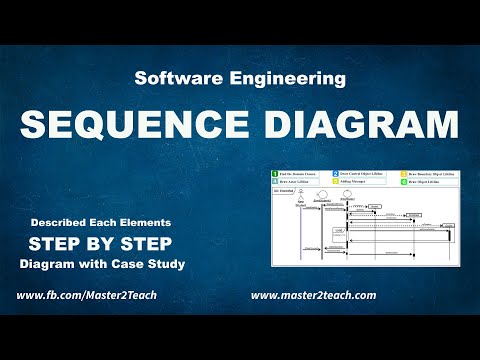
Sequence Diagrams 101 (Video Refresher)3 This video offers a very low-level explanation of sequence diagrams and the associated concepts such as classes, actors, lifelines, messages, and more through a step-by-step example.
-
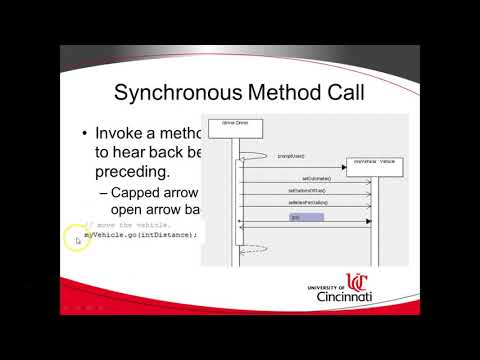
Sequence Diagrams (Coding Example)4 The attached video compares sequence diagrams to coding examples in an effort to relate the two together while covering messages in depth.
-
Sequence Diagrams (Tutorial/Practice)5 This video explains what a sequence diagram is followed by a creating an example using Lucidchart. Some of the covered topics include lifelines, messages, loops, and more.
-
Use Case Diagrams to Sequence Diagrams6 This brief video offers a quick refresher into constructing a sequence diagram while relating it back to a use case diagram.

Practice
Here is a small list of practice problems (with answers!) that you may find useful as you learn and/or refresh on Sequence Diagrams.
-
ATM Withdrawal: As a user, arrive to the ATM and conduct the standard withdrawal process in order to retrieve money. This set of practice problem(s) includes both a non-verifying and verifying sequence. Answer Provided 7
-
Name elements, Identify Errors, and efficiency issues: The attached exercise(s) allow you to practice identifying elements of a Sequence Diagrams along with ensuring you are able to detect errors and efficiency problems. Answers Provided 8
-
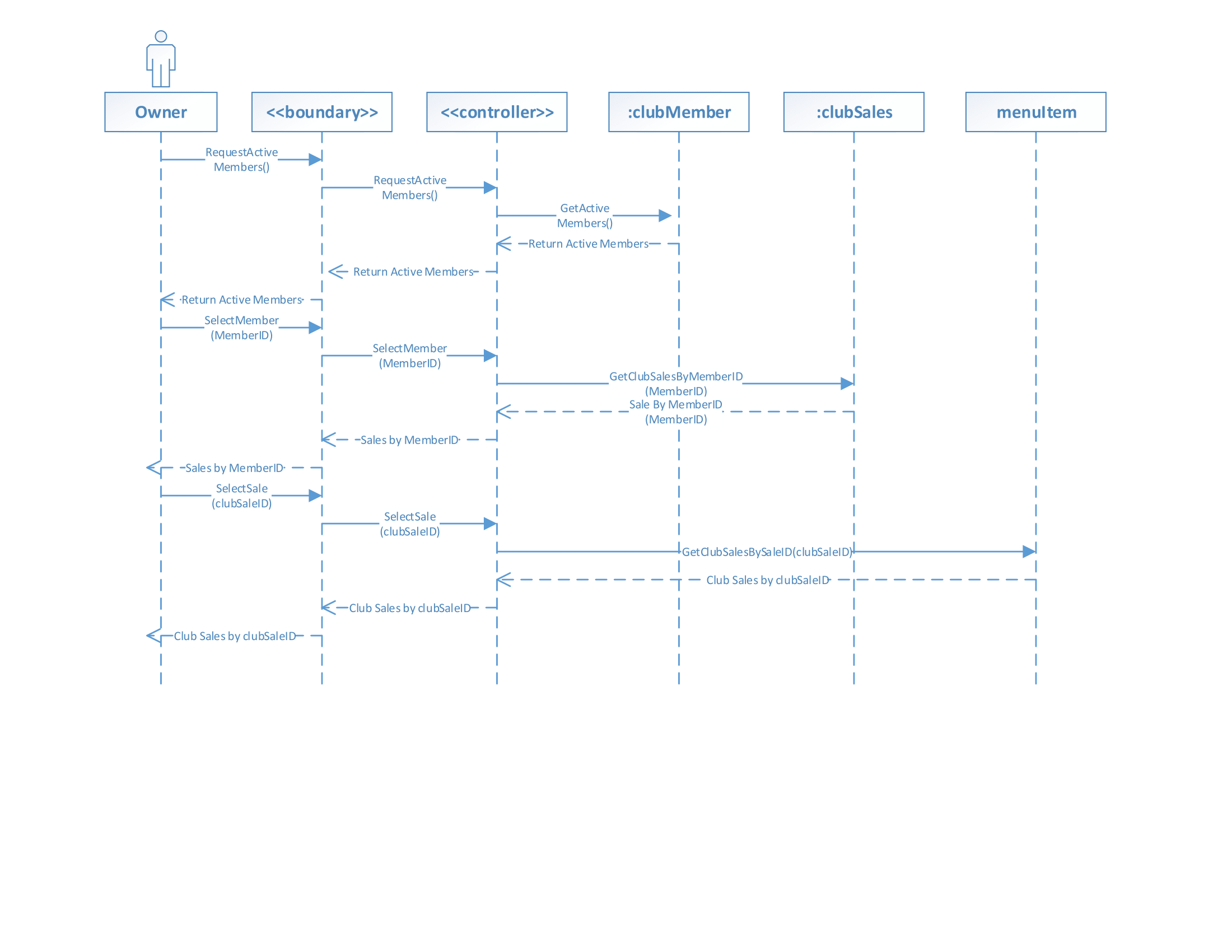
Interactions with Actor and System: Assume the role of a Country Club owner, you will be required to make requests to the system in order to identify active members, club sales as well as what the those sales consisted of. Before moving onto the next request ensure that the Owner has received the previously requested information. Answer Provided 9
-
More Coming Soon!
-
“What Is Sequence Diagram?” What Is Sequence Diagram?”, Visual Paradigm. ↩
-
“Sequence Diagram?” Kasetsart University. ↩
-
Master2Teach. “Sequence Diagram - Step by Step Guide with Example.” Online video clip. YouTube. YouTube, 14 April 2020. Web. 10 October 2020. ↩
-
Jones, Brandan. “Model Method Calls with UML Sequence Diagram.” Online video clip. YouTube. YouTube, 23 June 2018. Web. 10 October 2020. ↩
-
Lucidchart. “How to make a UML Sequence Diagram.” Online video clip. YouTube. YouTube, 27 August 2018. Web. 10 October 2020. ↩
-
VisualParadigm. “How to Elaborate Use Case with UML Sequence Diagram.” Online video clip. YouTube. YouTube, 2 October 2013. Web. 10 October 2020. ↩
-
Sani, Nor Samsiah. “Lab 004 - In-Class Exercise Answer” ↩
-
Dalbey, John. “Sequence Diagram Exercises”, California Polytechnic State University. ↩
-
Exercise adapted from Professor Alex Lopes, Indiana University at Bloomington, BUS-S310 Class examples. ↩